Standards module
 Information for System Administrators
Exporting EMu data compliant with a particular standard is performed using EMu’s Scheduled Exports facility.
- In order to use the Scheduled Exports facility, a user must have (or be a member of a group that has) the
daExportpermission. - See Information for System Administrators for details about Cron setup and the
emuexportcommand, a program used to execute scheduled exports. - Rather than using Cron to export data, it is possible to specify the time at which a scheduled export will run by configuring a Scheduled Operation. Details here.
- Details about how to develop an After Export script can be found here.
- Three Registry entries are provided for working with Standards:
Extension Repeater Registry entry
Output a row for each value in a table of values when exporting extension data.
Specify a record to be used to preview the output of Standards module Term Definition or Field Definition records.
- Specify two standards that can be exported together.
The Standards module was introduced with EMu 9.0, enabling users to maintain a range of industry standards. EMu 10 saw the addition of functionality to calculate field values, making it possible for institution's to define their own Summary Data, Extended Data or indeed any field calculations without the need to have Axiell modify the database forms.
Managing Standards
While the design of EMu is guided by international standards, updating standards in EMu or implementing new or emerging standards was previously only possible through interaction with Axiell and EMu upgrades as the standards were built into the product. The Standards module gives institutions the autonomy and flexibility to maintain a range of industry standards such as Darwin Core or Audubon Core for data sharing purposes; by pairing EMu fields with individual terms from a standard, institutions are able to export their EMu data compliant with that standard.
A standard is defined in EMu through the creation and maintenance of two types of record in the Standards module:

|
Record Type |
Details |
|---|---|
|
Term Definition |
A Term Definition record associates one or more EMu fields with a term in a standard. Multiple Term Definition records are created for each standard. |
|
Standard |
A Standard record groups Term Definitions into a single export format compliant with a particular standard. |
Using the EMu Scheduled Exports facility, it is then possible to export EMu data compliant with that standard. While a typical export from EMu allows data to be exported from one or more columns, data is exported as is; it cannot be manipulated, formatted or combined with other values as it is exported. When exporting to a standard it is possible to combine, manipulate and format values from two or more columns to produce a single export value.
When a standard changes in some way, the change can be implemented in EMu immediately by updating Term Definitions, keeping exported EMu data compliant with the standard. There is no limit to the number of Term Definitions that can be created, nor the number of standards that can be supported.
Details about how to define a standard in EMu here.
Calculating field values
The Field Definition Record Type2 is used to calculate and assign a value for any field in any module:

A Field Definition record includes code that is executed whenever a record is created or modified, the result of which is a value that is assigned to a field immediately before the record is saved. This makes it possible to define your own Summary Data, Extended Data or indeed any field calculations without the need to have Axiell modify the database forms.
The Calculated Registry entry is used to control which fields have calculated values. Support is provided for both single and multiple value fields. Only fields listed in a Calculated Registry entry will have calculated values, and all other fields will continue to use the EMu default value generator.
Details about how to define calculated fields in EMu here.
Typical Standards tabs and their purpose
Note
Note: As every institution is able to customize EMu to suit its requirements, there are many different versions of EMu. Even where institutions have the same modules, the tabs included in each instance of the module may be different; and even where institutions have tabs with the same name, the fields on those tabs may be different. For that reason this section only provides a general description of modules.
| Tabs | Description |
|---|---|
|
Term3 & Script tabs |
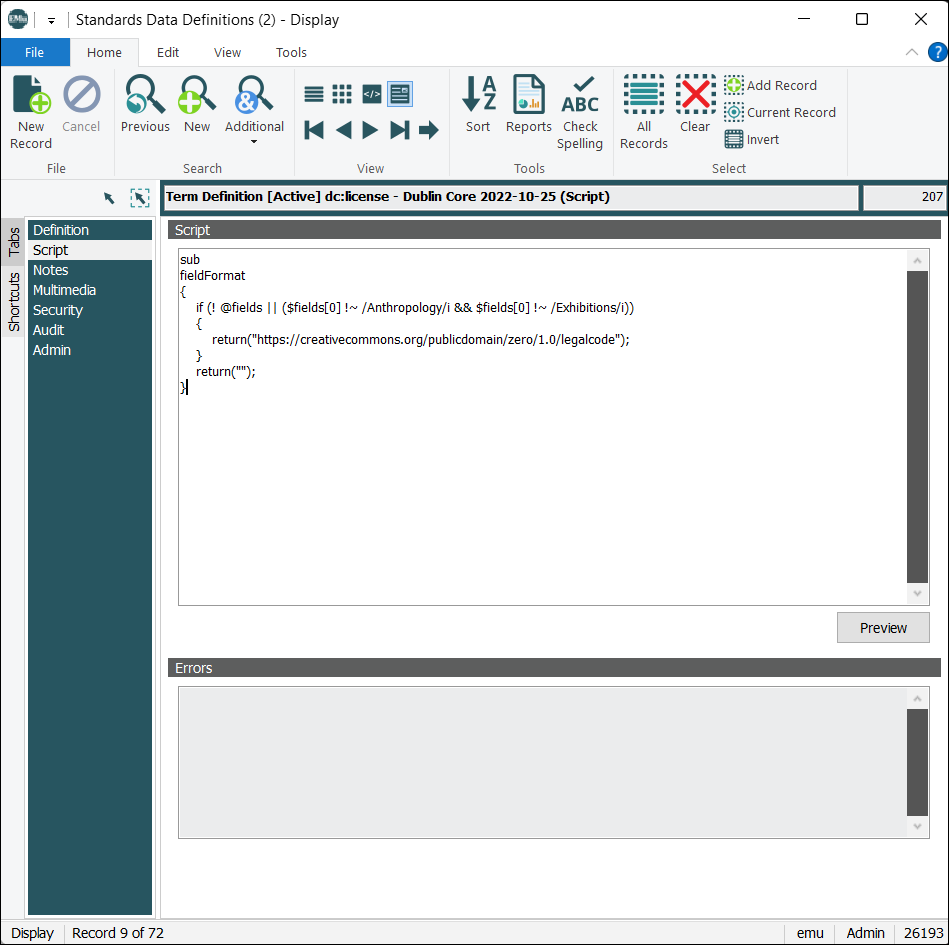
Displays when Record Type = Term Definition. On the Term tab a term in a standard is associated with one or more EMu fields; here we specify any conditions that determine what data is output, and define the format of the output data. When creating a Term Definition record, two mutually exclusive methods for formatting the output data are available, String and Script. The Script method allows for more complex formatting of the output data than is possible with String. We use the Script tab to define a perl subroutine for formatting the output data:
Details about how to define a standard in EMu here. |
|
Field & Script tabs |
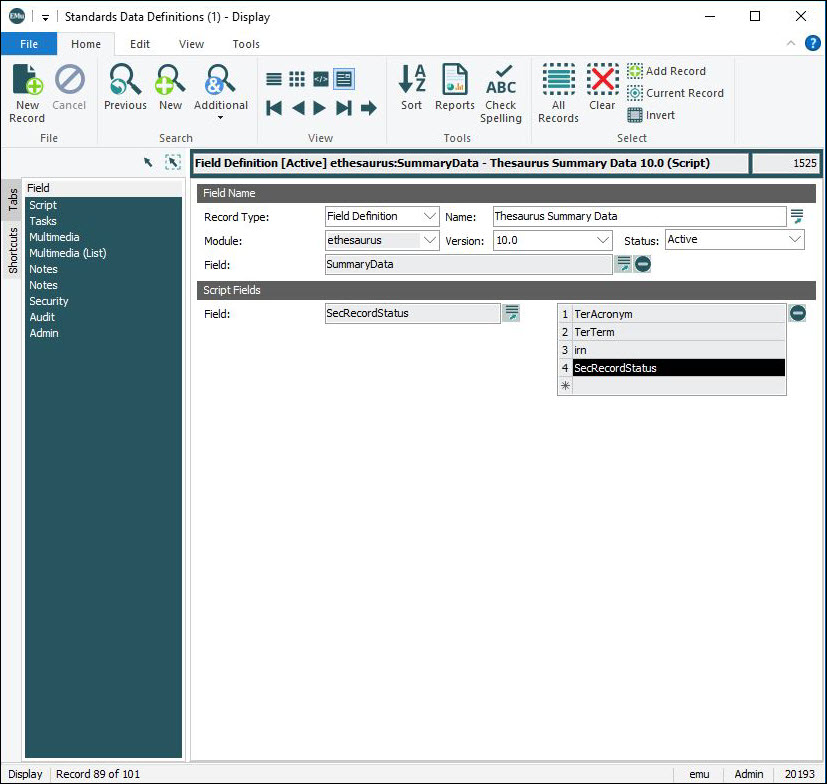
Displays when Record Type = Field Definition4. On the Field tab we name the field definition and define the module and field whose value is to be calculated. In the Script Fields group of fields we select one or more fields whose values will be available to the script code when calculating the field value:
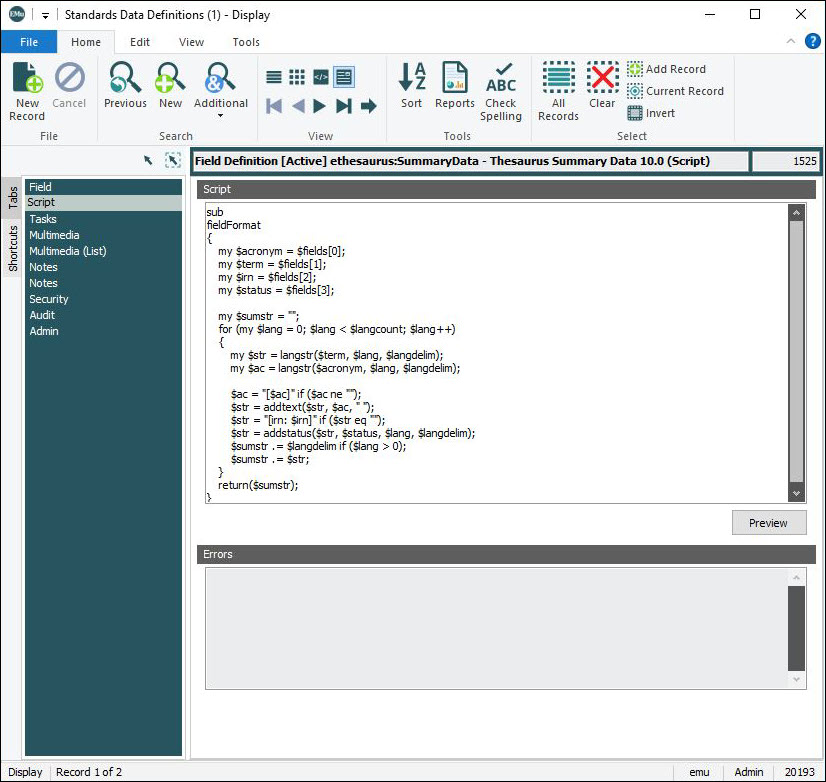
A Script tab is added to the module, and here define a perl subroutine
(
Details about how to define calculated fields in EMu here. |
|
Standard |
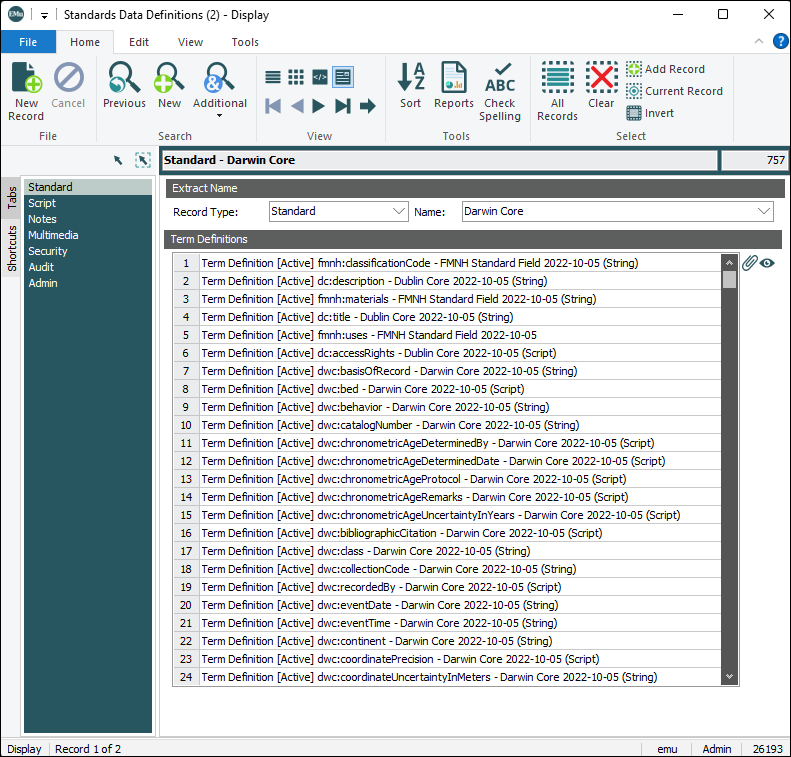
Displays when Record Type = Standard. A Standard record groups individual Term Definitions into a single export format compliant with a particular standard:
Details here. |
|
Notes |
See Notes tab for details. |
|
Multimedia |
See Multimedia tab for details. |
|
Security |
See Security tab for details. |
|
Audit |
See Audit tab for details. |
|
Admin |
See Admin tab for details. |